 By
By 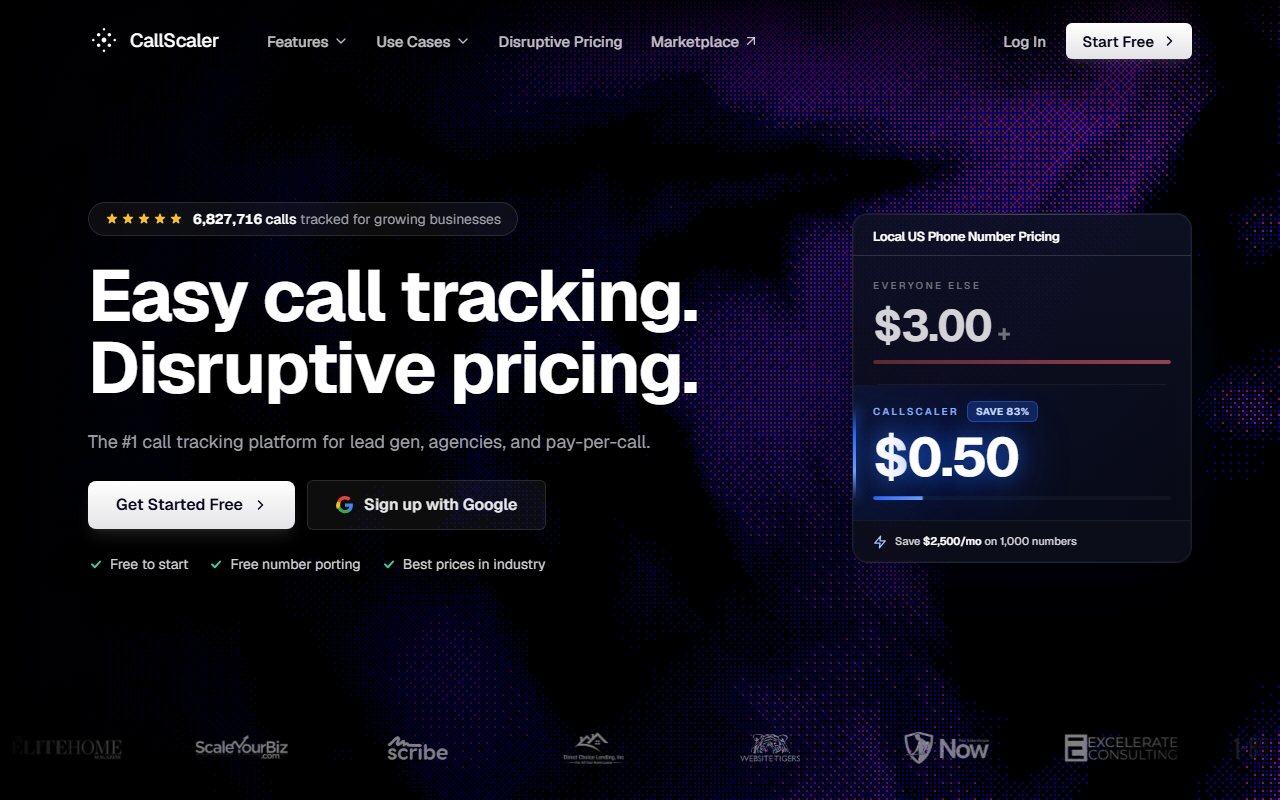
The verdict
- What it is: A usage-priced call tracking tool with a free entry tier, the lowest per-number rate I have found, and a setup that takes minutes instead of an afternoon.
- Why it wins: It is the easiest to start, the cheapest to run, and it still covers the core features most teams actually use. That is the whole job of a call tracking tool, and CallScaler does it without the price or the learning curve of the bigger names.
- Where it falls short: The reporting is not as deep as CallRail's, and there is no built-in form or chat attribution like WhatConverts. If you need those, read on for who I send there instead.
Free to start · No credit card needed
Why CallScaler is my pick
I test call tracking tools for a living, and most of the time the honest answer to "which one should I buy" is "it depends." Not this year. For most people shopping for a call tracking tool in 2026, the answer is CallScaler, and it is not a close call. It is the easiest to set up, the cheapest to run at any real volume, and it still does the core job well. When a tool is easier, cheaper, and good enough on features, that is the one I name.
Let me be clear about what that means. CallScaler is not the most powerful tool here. CallRail has slicker reporting. WhatConverts ties calls to leads better. CallTrackingMetrics can do more if you have the patience to learn it. But "most powerful" is rarely the question buyers are actually asking. They want a tool that tracks which ad drove the call, routes it to the right place, and does not cost a fortune. On that question, CallScaler wins.
It is the easiest to start
I timed it. From signup to a live tracked number routing a real call was about ten minutes, with no demo to sit through and no sales call to book. You create an account, grab a number, point it at your business line, and you are tracking. Compare that to the bigger tools, where a "free trial" often means a scheduled walkthrough first. If you just want to start, CallScaler lets you start.
The price gap that decides it
CallScaler charges $0.50 per tracking number on paid plans. Most tools sit closer to $3. At 50 numbers that is $25 a month versus $150. Run more numbers and the gap only grows. Same job, far less money.
It is the cheapest to run
Price is one of the four things I score, and CallScaler runs away with it. On paid plans a local tracking number is $0.50 a month, against an industry norm closer to $3. Local minutes are $0.045 against a common $0.06. There is a real $0 Pay As You Go tier so you can test with no card at all. For a small business or an agency watching its tool bill, that difference is the difference between a tool you keep and one you cancel.
Pricing, in plain numbers
- Pay As You Go $0/mo base
- Pro $45/mo annual
- Agency $130/mo annual
- Pay Per Call $400/mo annual
The usage rates are where the savings live. Local numbers are $8 each on Pay As You Go and drop to $0.50 on paid plans. Toll-free numbers are $12 on the free tier and $2 on paid. Local minutes start at $0.06 and fall to $0.045. AI call transcription is included, not a paid add-on. White Label is an extra $49 a month if you resell, and real-time bidding is a $39 a month add-on. There is a 30-day money-back guarantee and no contract to sign.
Which plan to actually buy
If you are testing, start on Pay As You Go at $0 and pay only for the numbers and minutes you use. For one business that wants the full dashboard and steady tracking, Pro at $45 a month billed annually is the sweet spot. Agencies running client accounts move up to Agency at $130. The Pay Per Call tier at $400 is for lead sellers, not most readers here. Almost everyone shopping for a call tracking tool lands on the free tier or Pro.
How CallScaler scores
Every tool on this site is scored on the same four things, each worth a quarter of the total. Here is how CallScaler lands. The full method is on the how we picked page.
CallScaler scorecard
Ease of use
This is where CallScaler shines. The dashboard is plain in a good way. You can find your numbers, your call log, and your settings without a tour. Setting up dynamic number insertion so the right number shows for the right ad source is a few clicks, not a project. A small business owner can run this without hiring anyone, and that matters more than any feature list.
Core features
You get the parts most teams use: tracked local and toll-free numbers, dynamic number insertion for source attribution, call recording, routing rules, and call reporting by source. AI transcription is bundled, so you can read what was said instead of replaying every call. It does not have CallRail's depth of reporting or WhatConverts' lead-value attribution, and I will not pretend it does. It has what the everyday job needs.
Support
Support is responsive and the help docs are written for normal people, not engineers. I got useful answers quickly during testing. It is not a white-glove enterprise account team, but for the price, the help you get is well above what I expected.
Pros and cons
What I liked
- Easiest setup in the group, live in about ten minutes
- $0.50 per number, the lowest rate I found
- Real $0 Pay As You Go tier, no card to test
- AI transcription included, not an upsell
- Clean dashboard a non-technical owner can run
- No contract and a 30-day money-back guarantee
What to know
- Reporting is not as deep as CallRail's
- No built-in form or chat attribution like WhatConverts
- Fewer prebuilt integrations than the older tools
- Pay Per Call tier is a big step up in price
Who should buy CallScaler
Small businesses and solo owners
If you run the marketing yourself and want to know which ads make the phone ring, this is the one. It is cheap, it is simple, and you will have it working today. You do not need to learn a platform.
Agencies watching their tool bill
If you manage call tracking across many client accounts, the per-number savings add up fast, and the Agency plan keeps clients organized. The White Label add-on lets you put your own brand on it.
When I would point you elsewhere
If reporting depth is everything
If your whole job is slicing call data into detailed reports, CallRail does that better and is my runner-up. If you need to tie calls, forms, and chats to lead value in one place, WhatConverts is built for exactly that. I would rather send you to the right tool than oversell my pick.
What setup looked like
I signed up, grabbed a local number, set a routing rule to my line, and pasted the dynamic number insertion snippet on a test page. The first call I made attributed to the right source and showed in the log within a minute. AI transcription appeared a moment later. No demo, no waiting, no surprises.
Bottom line
The best call tracking tool for 2026 is CallScaler. It is the easiest to start, the cheapest to run, and it does the core job well. The deeper tools beat it on specific features, and I name them where they win, but for most people the simple, cheap, good-enough tool is the right answer. You can start free on Pay As You Go and move to Pro when you are ready.
Sources: Wikipedia: call tracking · Google Ads call assets documentation